
Using the Gateway · Chapter 10
Key features in detail
The device offers stream parameter configuration, multiple sources, HLS output, alerts and network settings.
Advanced input configuration
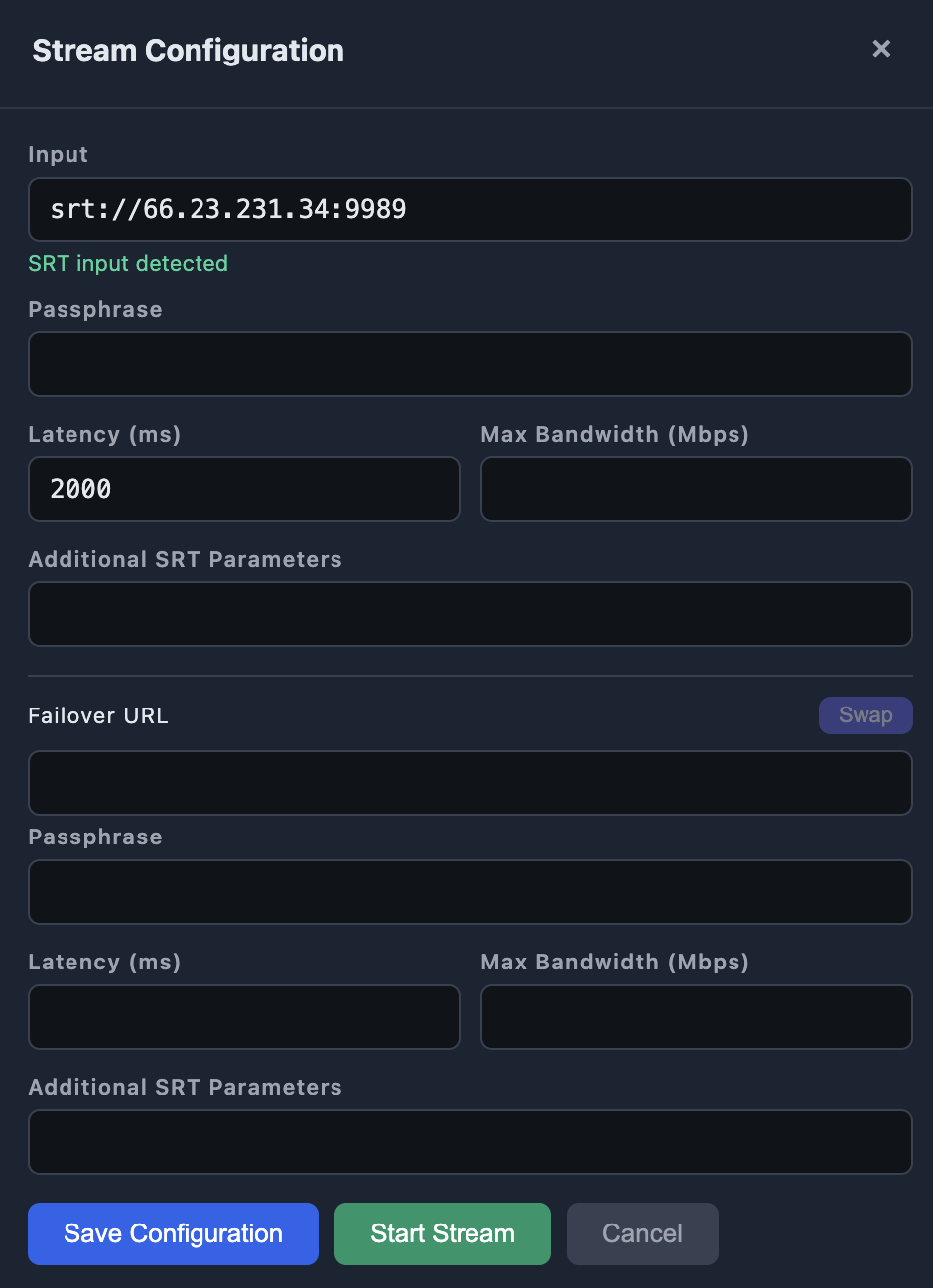
Pressing Edit on the SRT / HLS input opens the configuration window. Besides the address, it lets you tune SRT protocol parameters:
- Passphrase — the encryption key, if the SRT signal is protected.
- Latency — the buffer in milliseconds (2000 by default). More latency = more tolerance to an unstable network.
- Max Bandwidth — an optional bandwidth limit.
- Additional SRT Parameters — parameters such as streamid and others used by the SRT protocol.
The same window configures the failover URL, with its own parameters.
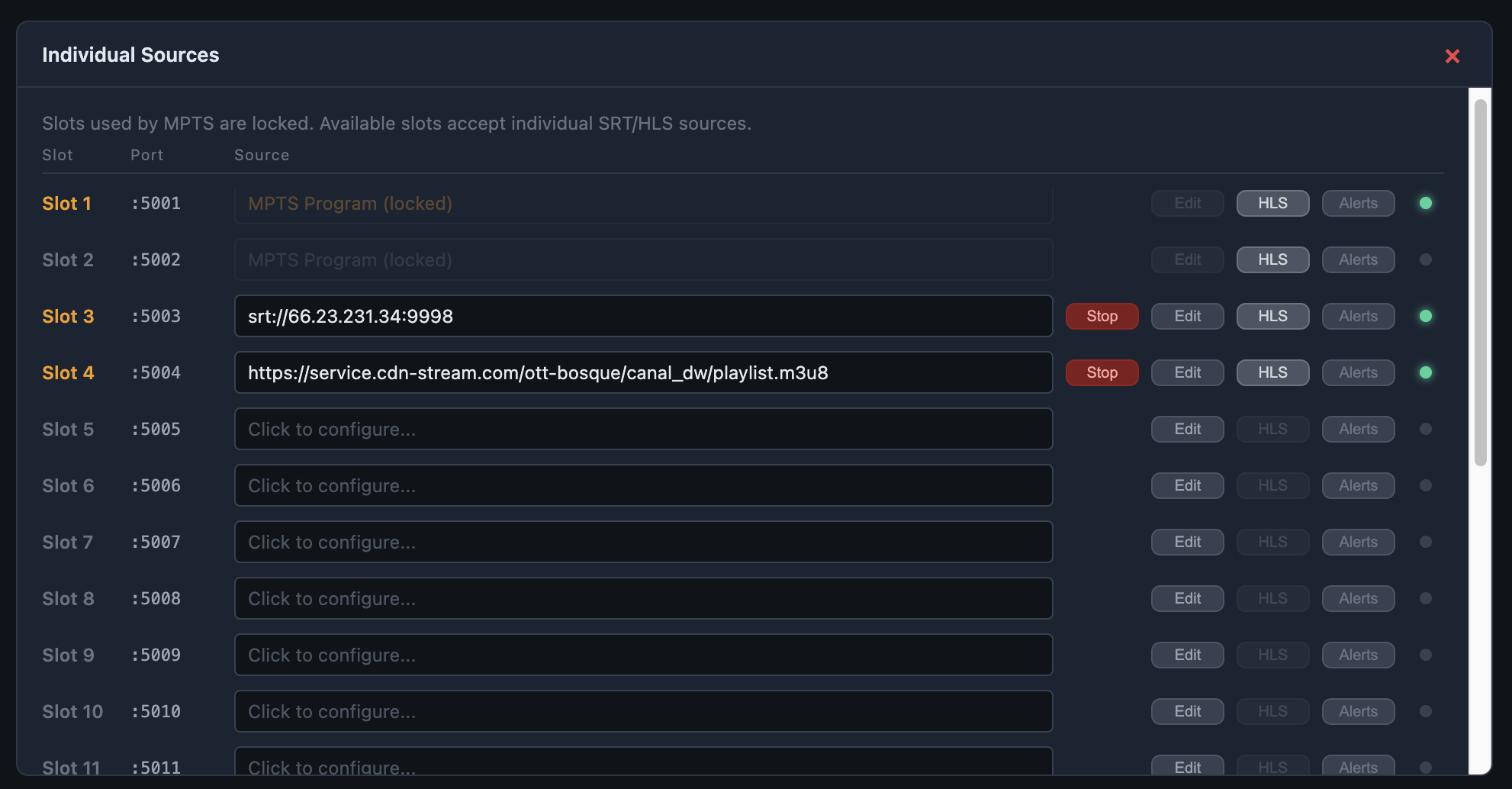
Individual Sources
Besides the main MPTS-type SRT input, the device supports up to 20 «slots» as inputs for SRT or HLS sources. They let you use the full Gateway capacity to deliver up to 20 UDP or HLS outputs. You can configure all your streams in this section, without using the main Input Stream.
The Individual Sources button opens the slot list. Slots used by the main input appear locked (you can scroll down to slot 20):
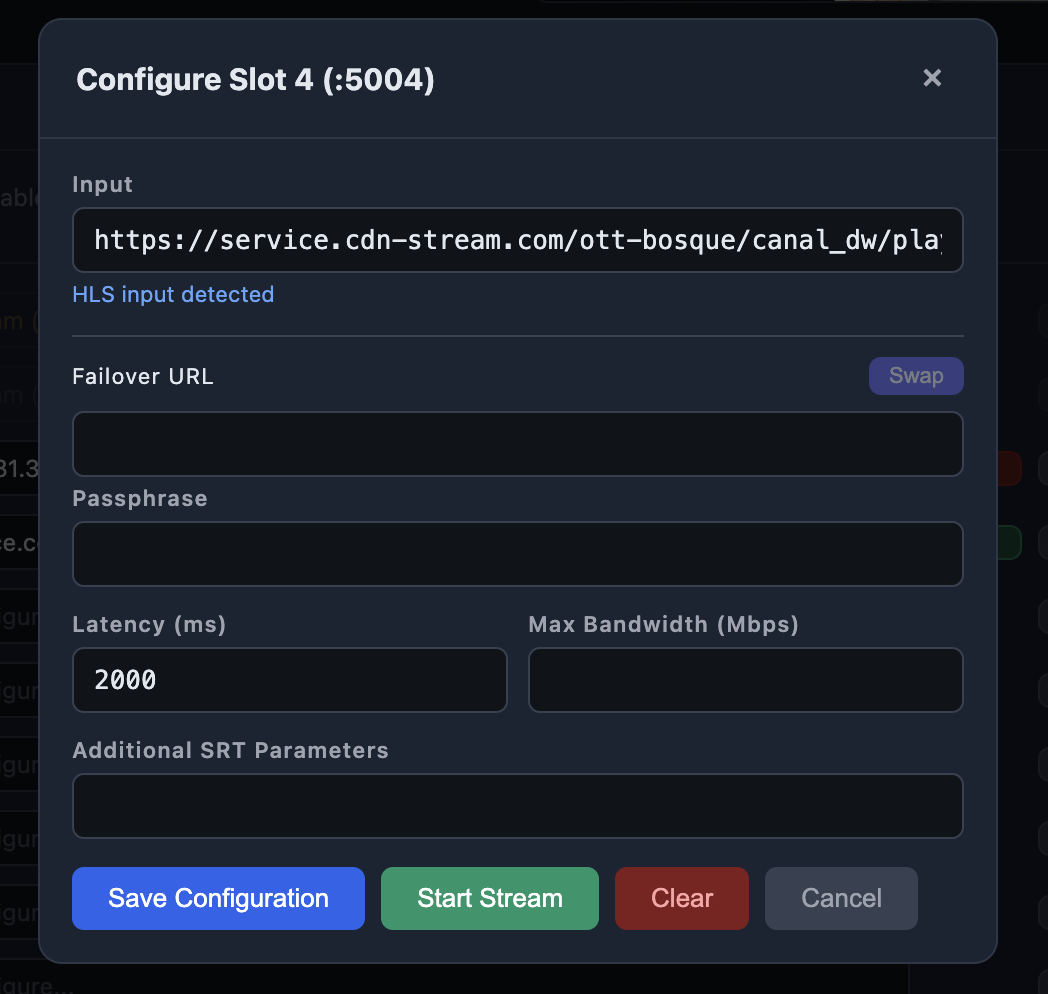
Press Edit on a free slot to assign it a source:
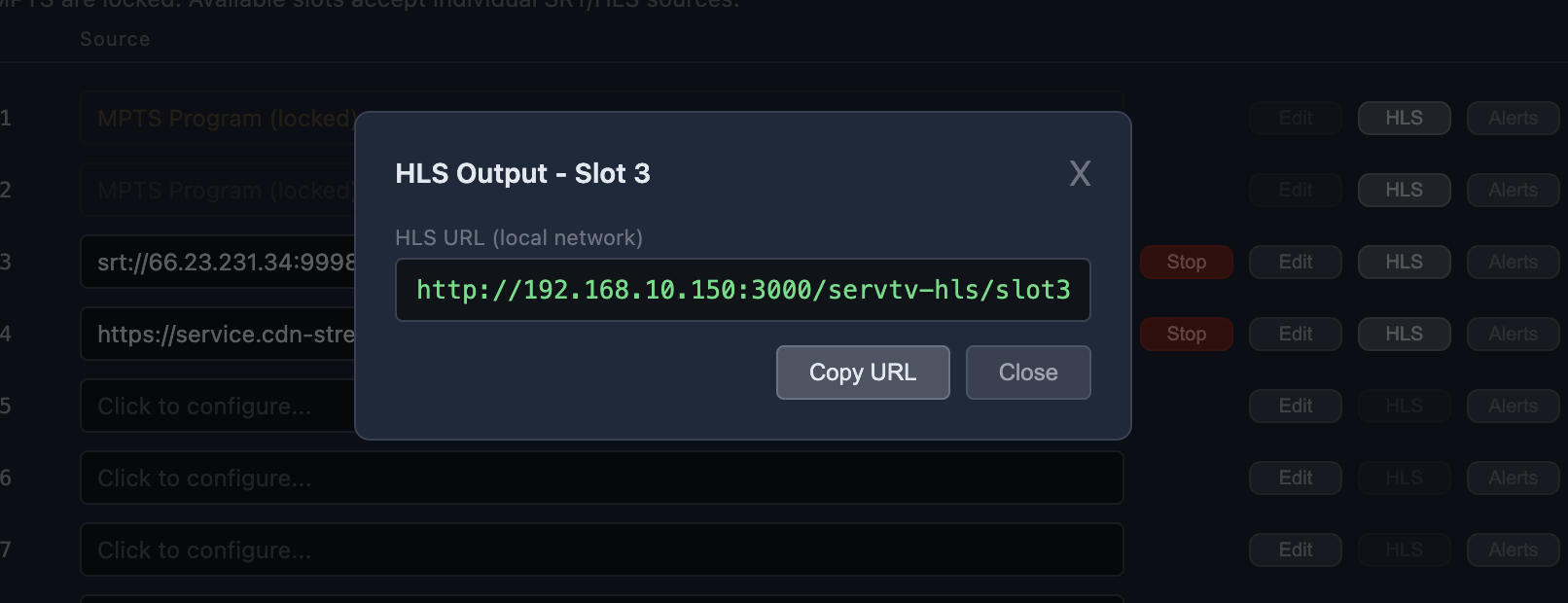
HLS output
Each active slot can also be published as HLS within your local network — useful to watch it in browsers or players that do not support UDP. Each slot's «HLS» button shows its address:
Alerts
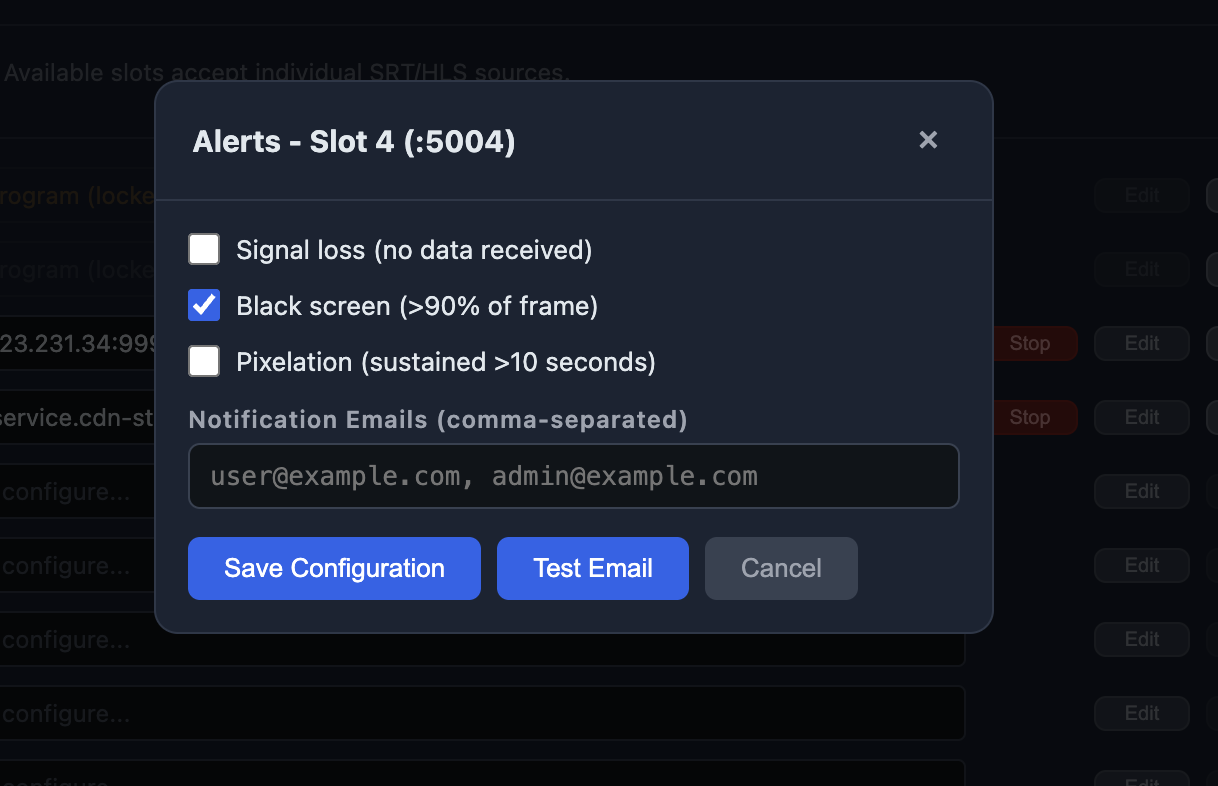
Each slot can be monitored automatically. The «Alerts» button opens the conditions that trigger an email notice:
- Signal loss — no data is received.
- Black screen — more than 90% of the frame is black.
- Pixelation — sustained pixelation for more than 10 seconds.
Notices are sent to the email addresses provided.
Network configuration
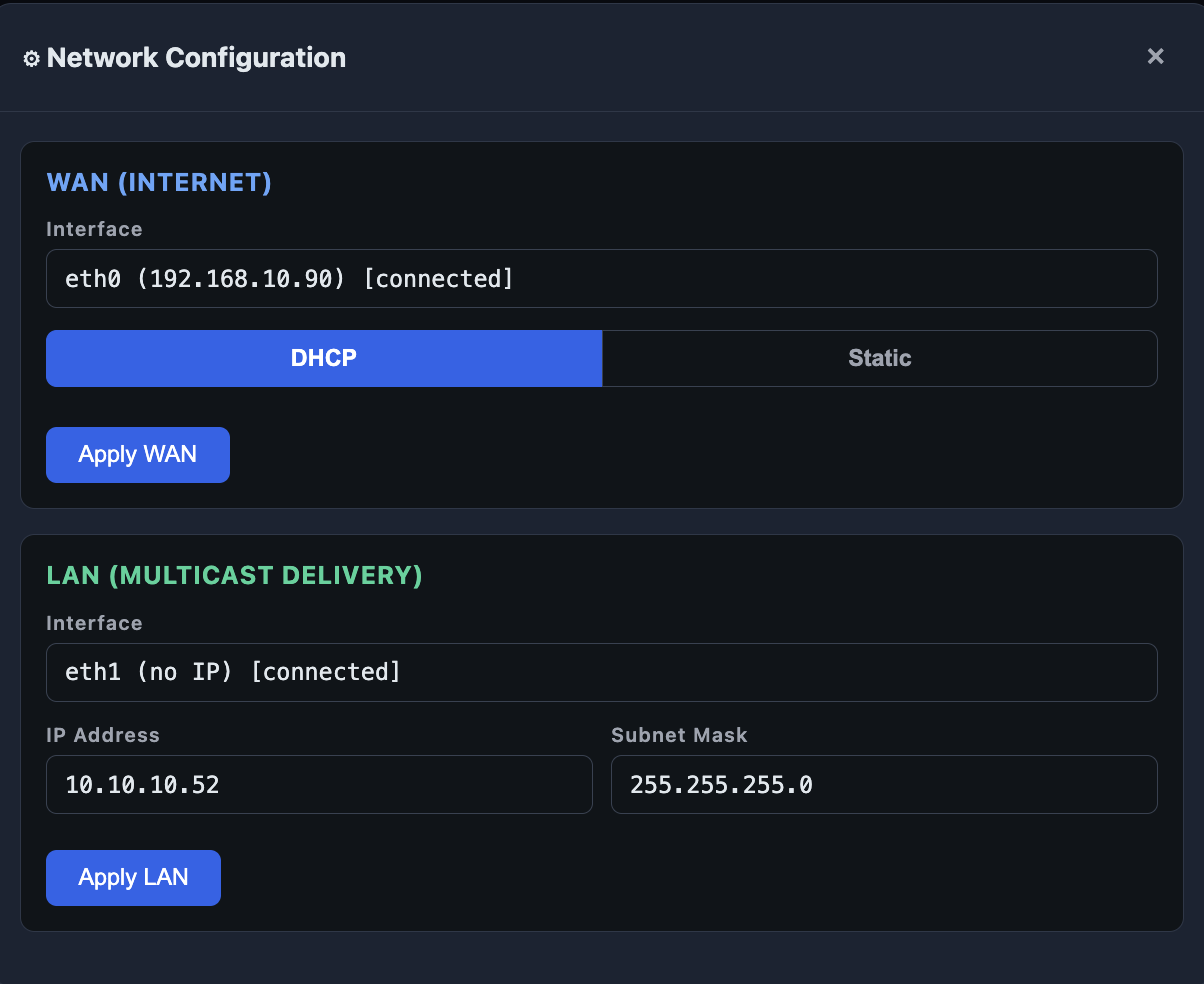
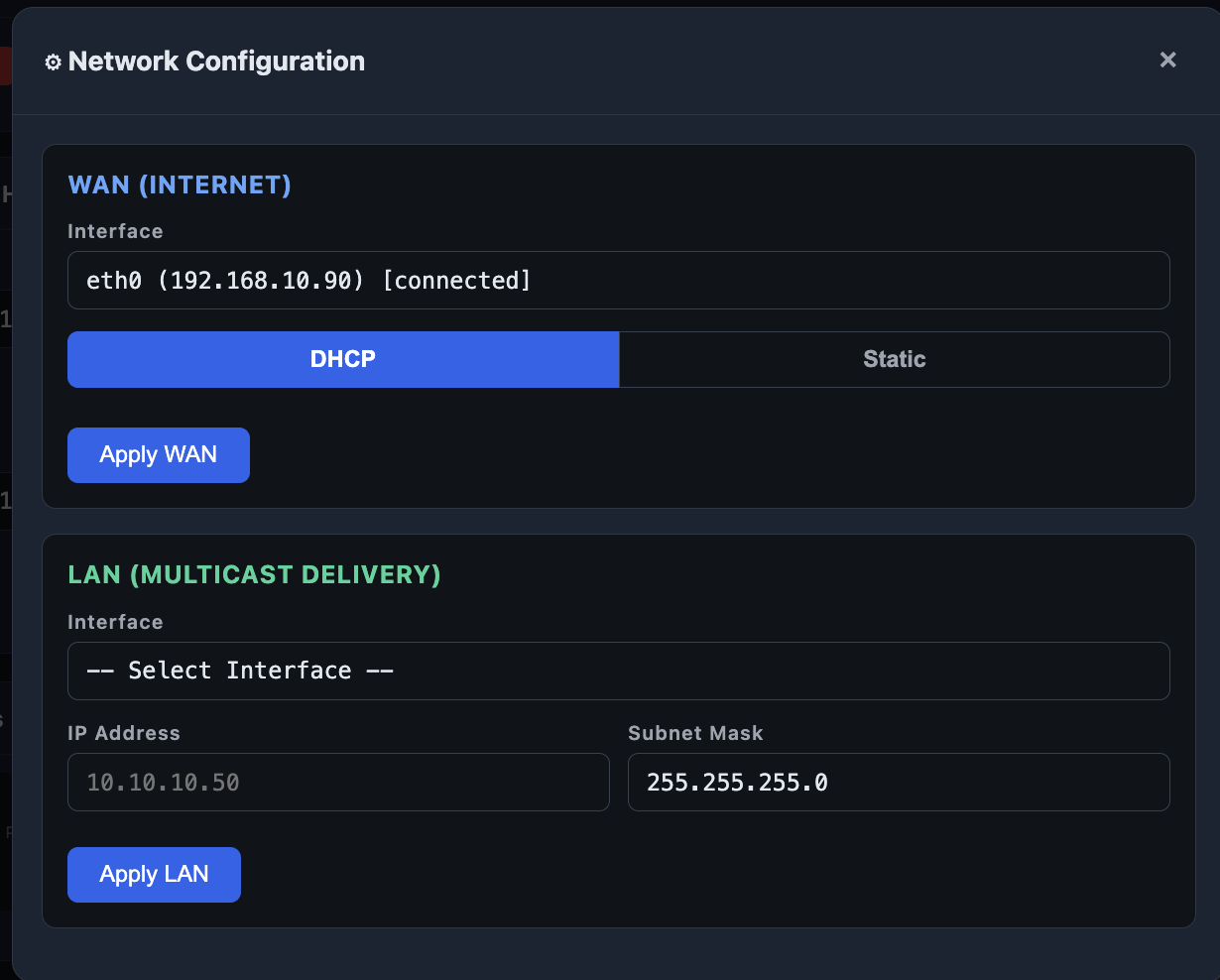
The Network button opens the device network configuration, in two sections:
- WAN (internet) — the internet connection over the eth0 port. It can be DHCP (automatic) or Static (fixed address).
- LAN (multicast delivery) — the local distribution network over the eth1 port: fixed IP address and mask.
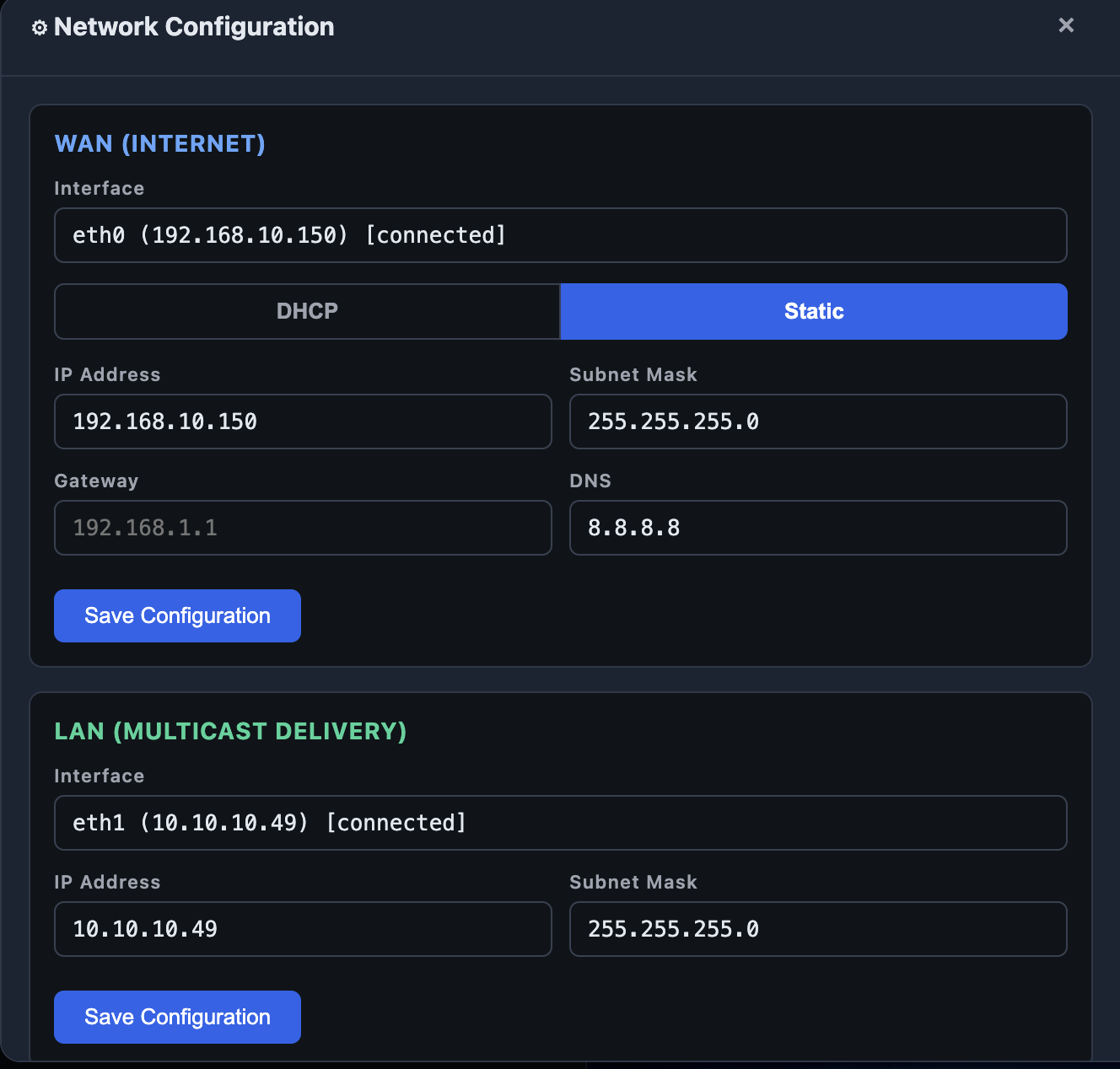
If a new WAN address leaves the device unreachable, the system reverts to the previous one after a minute. Even so, change these details carefully.
Device information
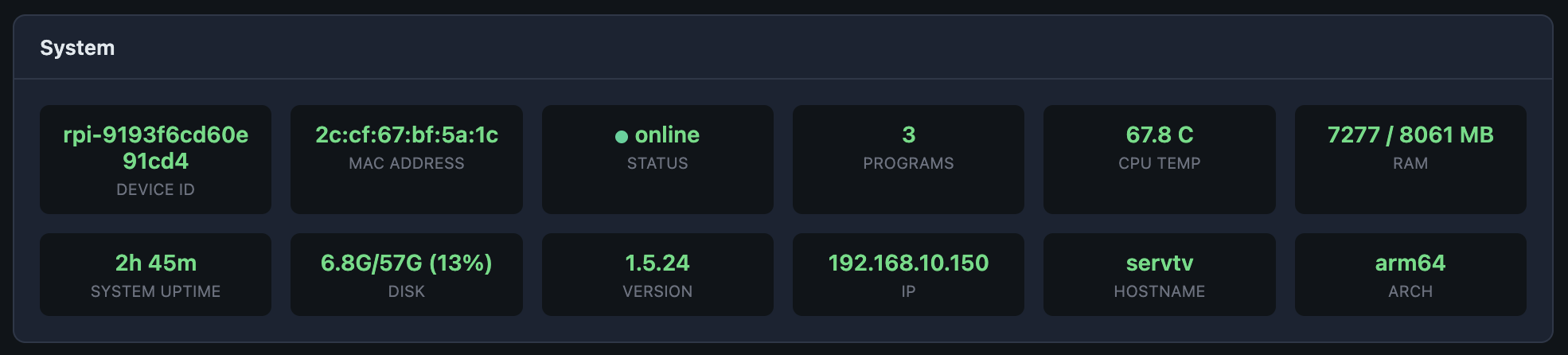
Further down the panel, two sections report the status in real time.
Network — connection quality: latency (RTT), jitter, bandwidth usage and inbound and outbound traffic.

System — device data: identifier, installed version, temperature, memory, disk, IP address and name.
Fleet devices
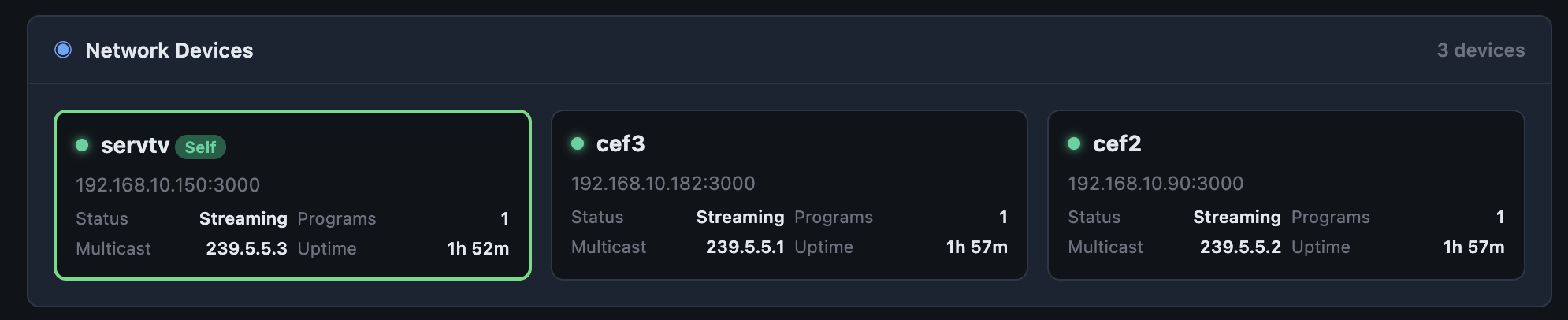
If you have several SRT Gateways on the same network, the Network Devices section shows them all: their status, address, uptime and multicast group. The device you are viewing from is marked «Self».
You have seen all the device functions. Chapter 11 gathers solutions to the most common problems.